a making-of ·
Paws in Peril in 3D: a realistic world in the browser, one friend at a time
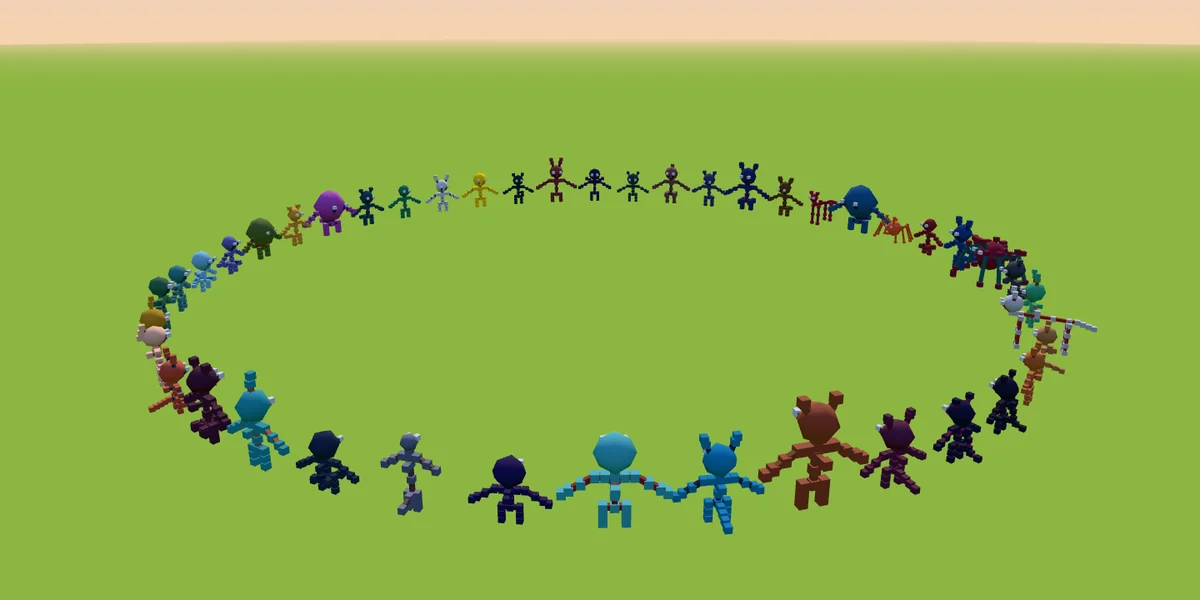
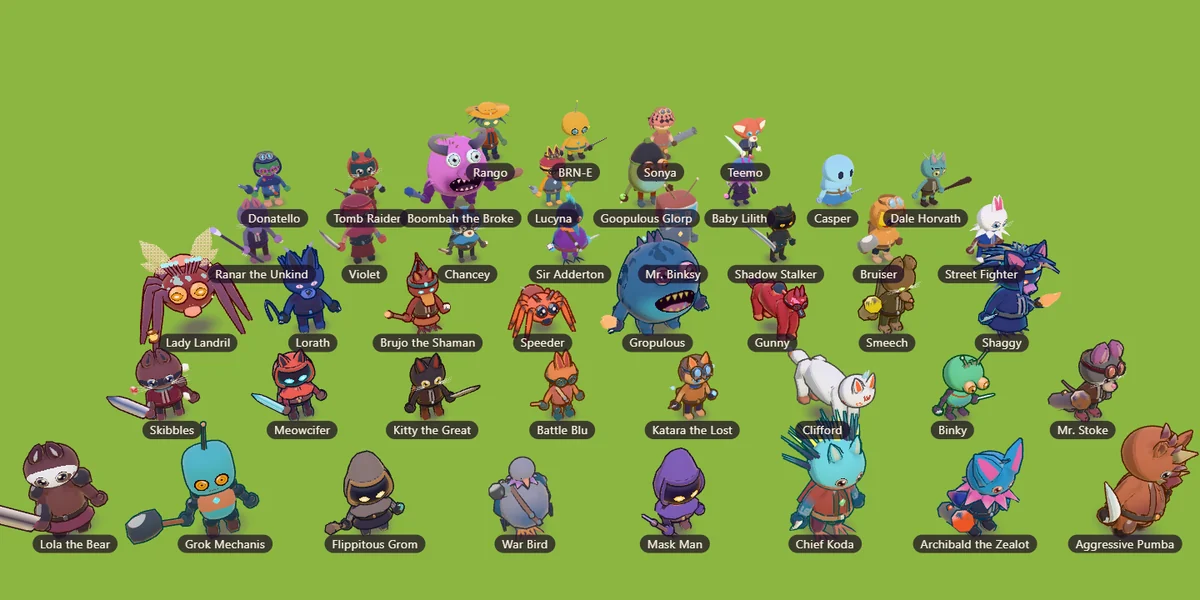
The obvious way to build a game world is to rough in everything, then polish. We tried that. It gave us 44 weak characters and a world nobody wanted to walk around in. What worked was the opposite: one thing at a time, done properly, then the next.
1Where we started vs. where we ended
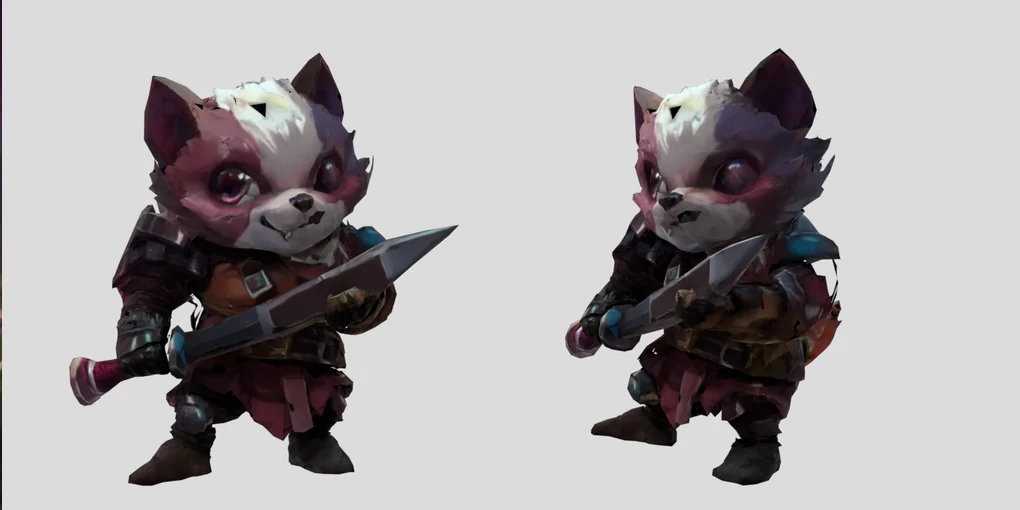
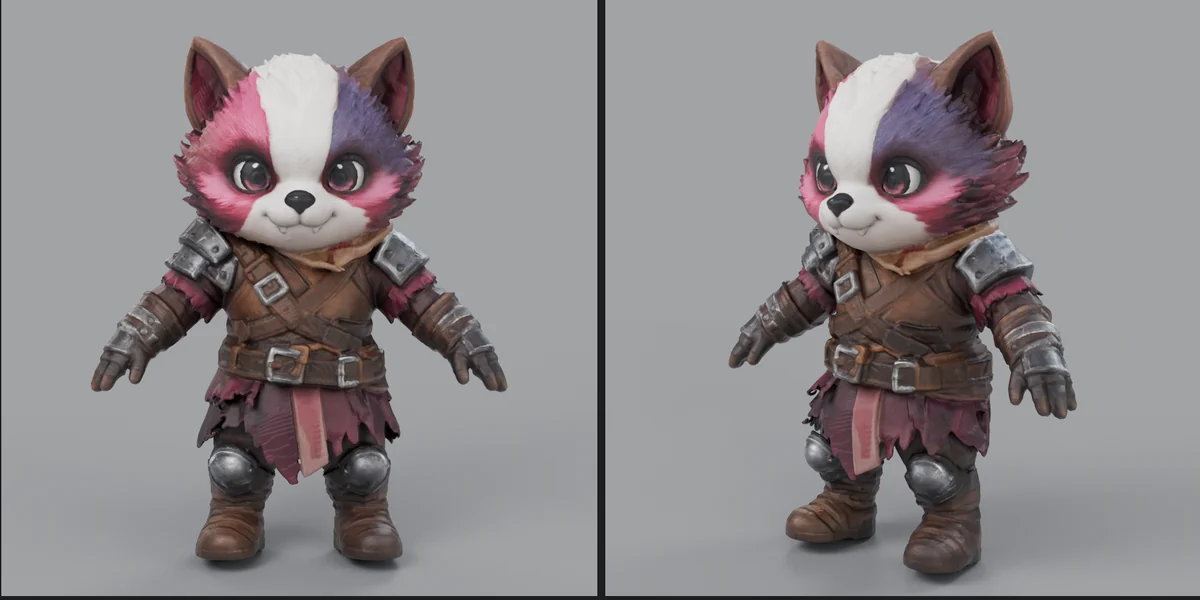
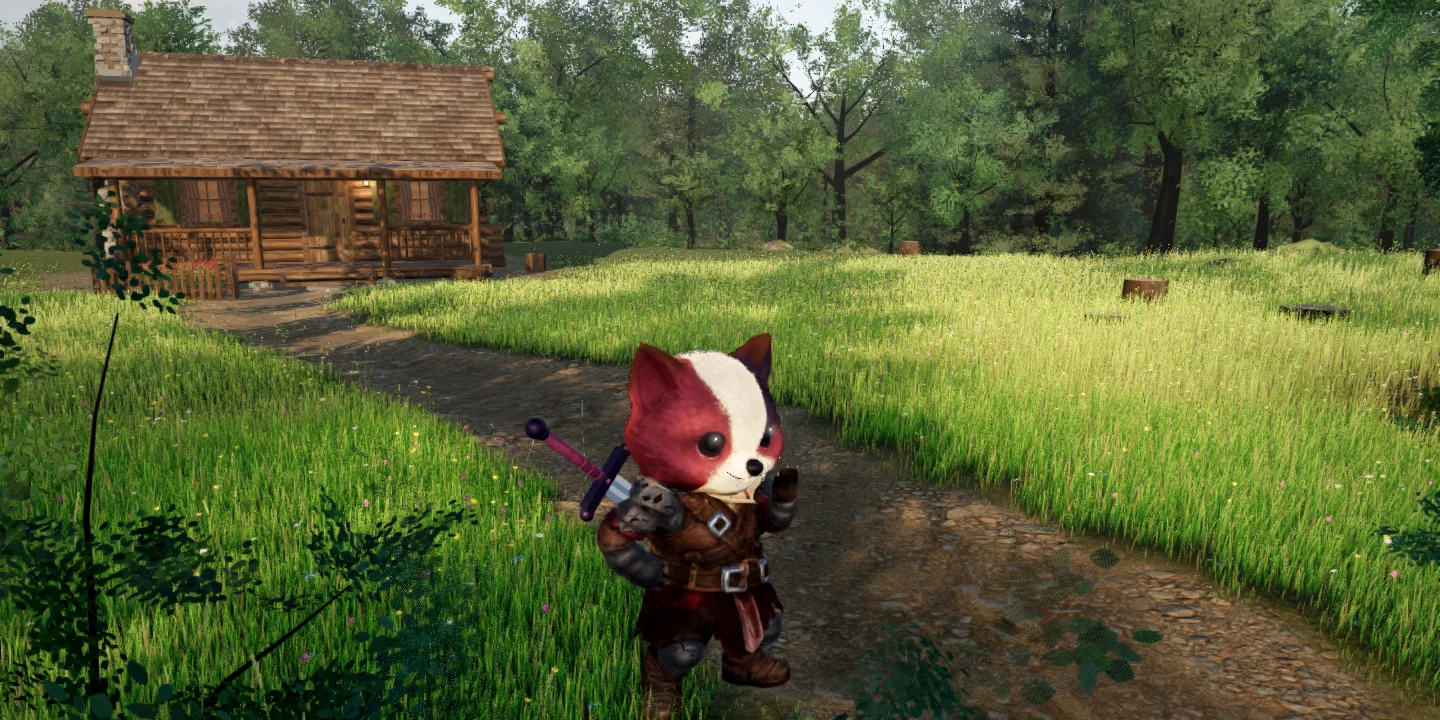
Five versions of the same world. The jump from the second to the fourth is the whole post.
2The biggest lessons
Seven of them, each a before and after. Open the ones you care about.
Breadth first failed. Sparse to dense worked. cuts 1 and 2
The first plan was the "sensible" one: get all 44 characters in, all the systems running, then raise quality across the board. Two rounds later we had 44 characters that all looked like placeholders, and no single thing worth showing anyone.
So we flipped it. Think of a painter: one element at a time, each one great, sparse to dense. One character. Then one tree. Then grass, ground, a cabin, a sky. Each gets its own test stage, its own screenshots, and a separate art-director agent that scores it out of 10 and won't let it through below 8.
The A-pose redraw: $0.04 that fixed rigging 4.6% torn → 0.14%
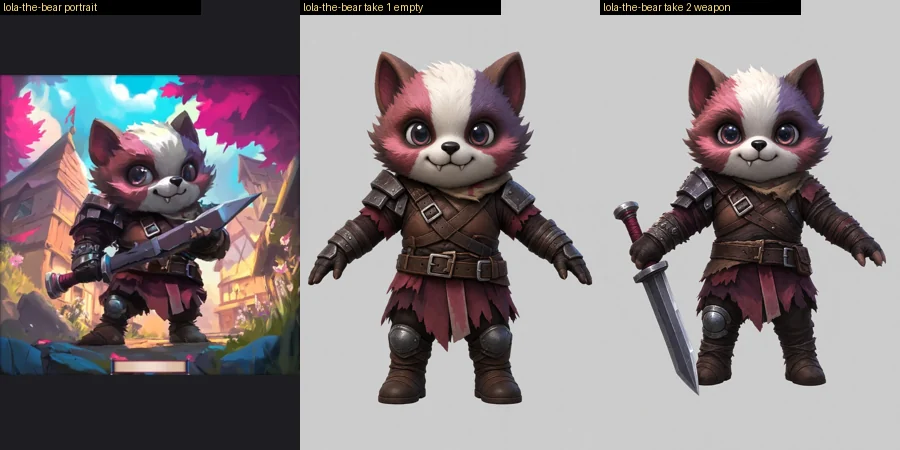
Card art is posed. Lola's portrait has her clutching a sword across her body. Turn that into 3D and the arm comes out welded to the skirt, so the first time she waved, 4.6% of her mesh tore.
The fix costs four cents. Before making the model, ask an image model to redraw the card standing in a neutral A-pose: arms 35° out, legs apart, flat light, plain grey. A stick-figure skeleton goes in with the portrait, so the pose is exact. Two takes per character: empty hands (the cleanest rig) and the weapon held out to the side.
The best local image-to-3D on an 8 GB laptop Pixal3D, not TRELLIS.2
I wanted models made on my own machine: a laptop with an 8 GB RTX 3070 Ti. We ran the two strongest open image-to-3D models on the same picture.
- Pixal3D (8-bit weights) worked. About 16–20 minutes and 6.1 GB of VRAM per try. Three seeds, pick one by eye.
- TRELLIS.2 came out as a flat slab in our setup, every time. We stopped spending time on it.
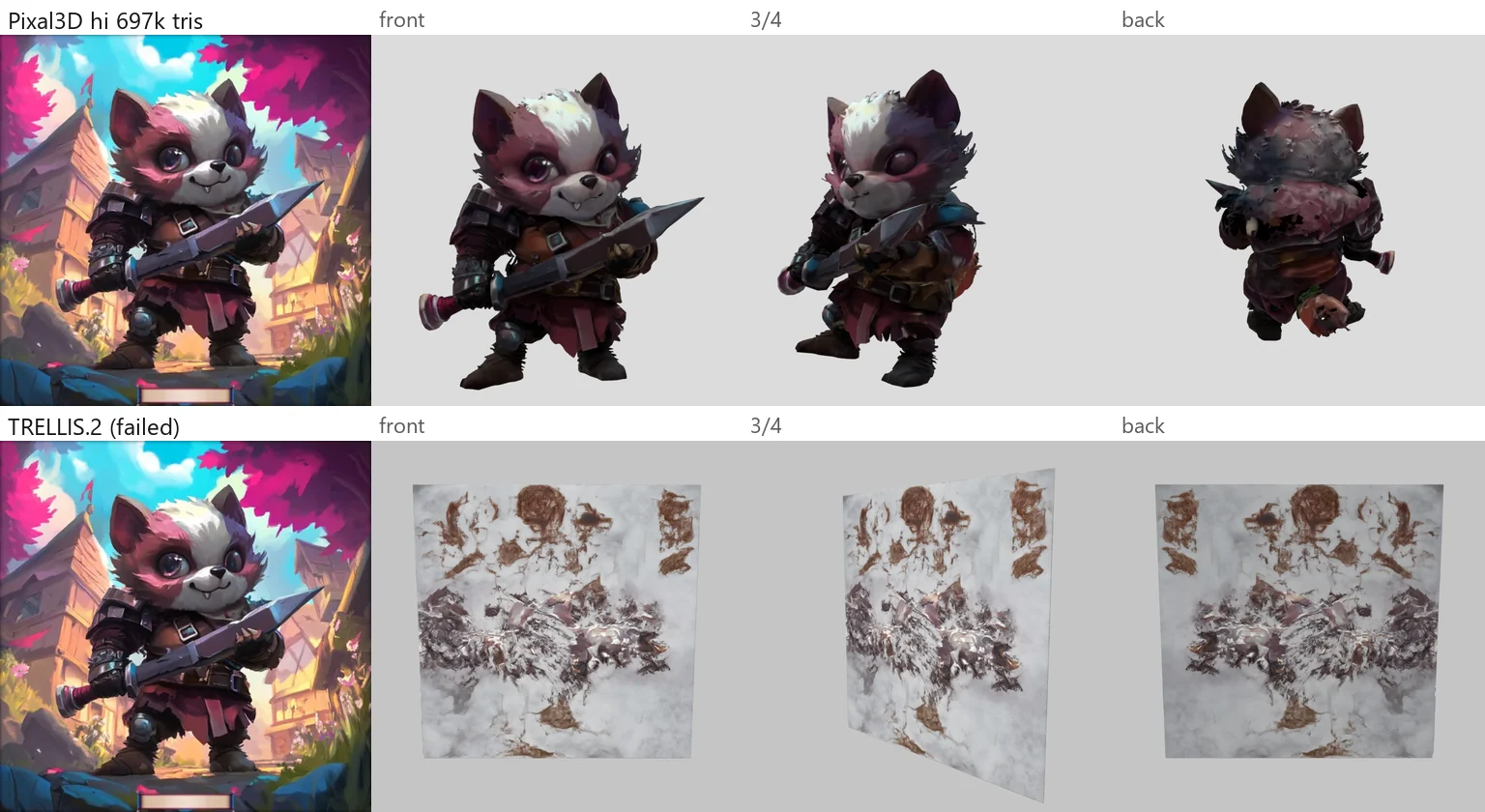
Pick the seed for the face first, then the colours, then clean limbs, then the back. A model that doesn't read as the character on the card is a reroll, not a fix.
Rigging a generated mesh the double skin, then the weights
Generated meshes look solid. They aren't. Lola's came out as two skins about 3 mm apart, full of pinholes, with a hollow head and a hole in the forehead. Weight-paint that and the inner skin pokes through the outer one the moment she moves.
- Make it one solid. Voxelise, seal, then keep only what's visible from 26 directions around her (a flood fill leaks into the hollows) and rebuild the surface. The invented red-panda tail got cut here too.
- Two sizes: 60k triangles for close-ups, 12k for the game, with the colours baked straight onto clean UVs.
- Pick joints by eye. Pose detectors missed her knees and eyes; chibi proportions throw them. Fifteen minutes on a gridded front and side view beats it.
- Voxel-heat weights. Bone heat solved on an 8 mm voxel copy of her, smoothed, head rigid except the ears. 36 bones, including a jaw, eyes, ears and an eight-bone skirt.
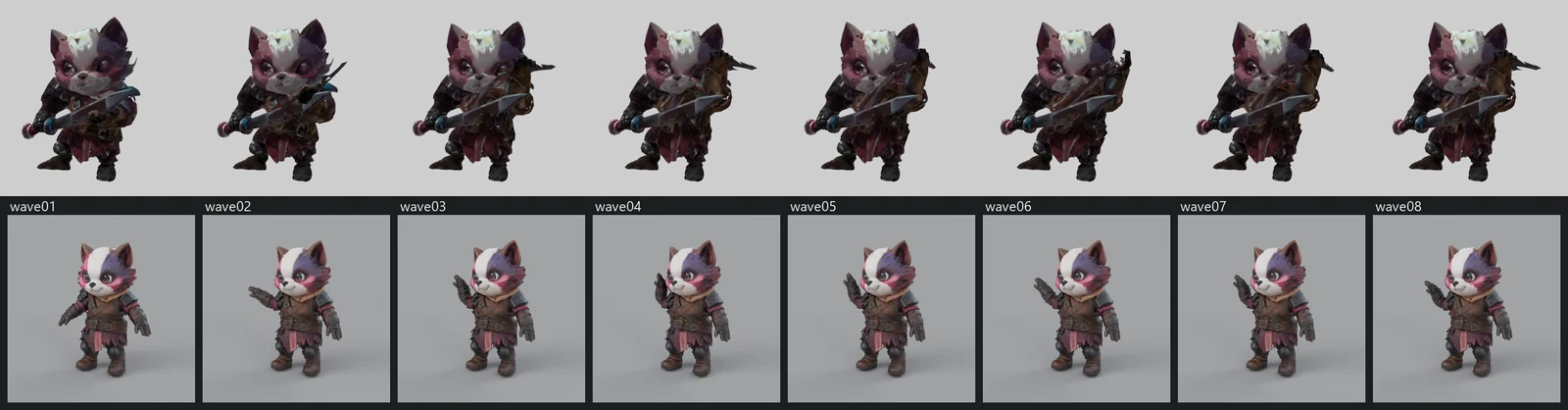
- Then measure. Count torn edges on a walk and a wave. Lola: 0.05% and 0.14%.
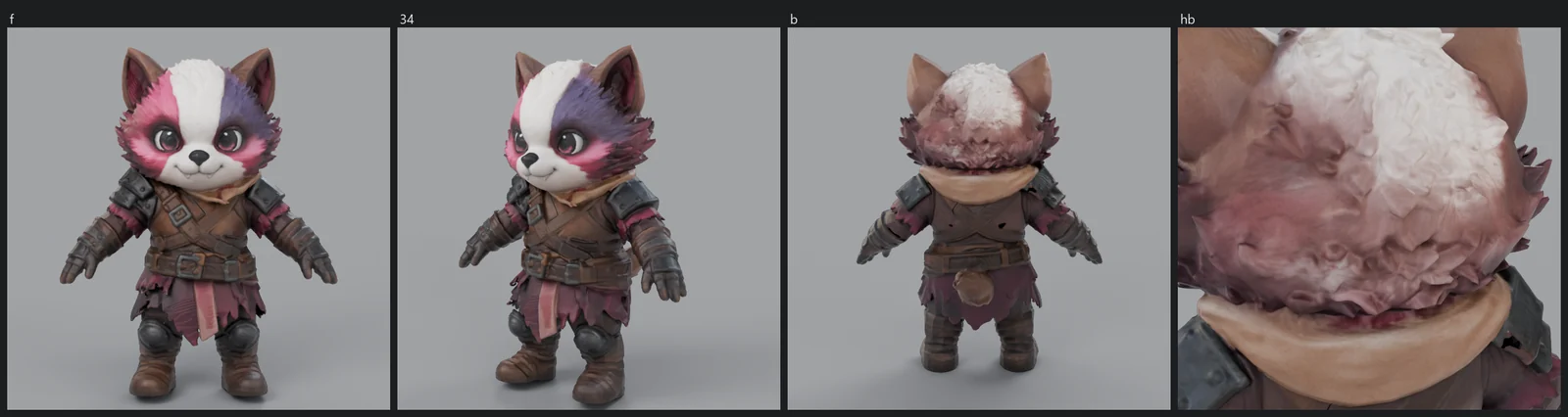
Free motion capture on a chibi bear CC0, $0
No hand-keyed animation. The moves come from the Quaternius animation library, CC0, packaged by the Mesh2Motion project: 178 clips on one human rig, about 13 MB. Free to use, no account.
The catch: those clips are for an adult human. Lola is 1.3 m tall and mostly head. Her hands top out at 1.14 m and her head at 1.27 m, so anything overhead goes through her face. So every clip gets a chibi pass:
- Feet locked on contact, so she doesn't skate.
- Hands kept outside a sphere around the head. An overhead cheer becomes a beside-the-head cheer.
- Arms held 15–20° off the body to clear the belly and the skirt.
- Exaggerated 12% (emotes 20%). Big heads need big moves to read.
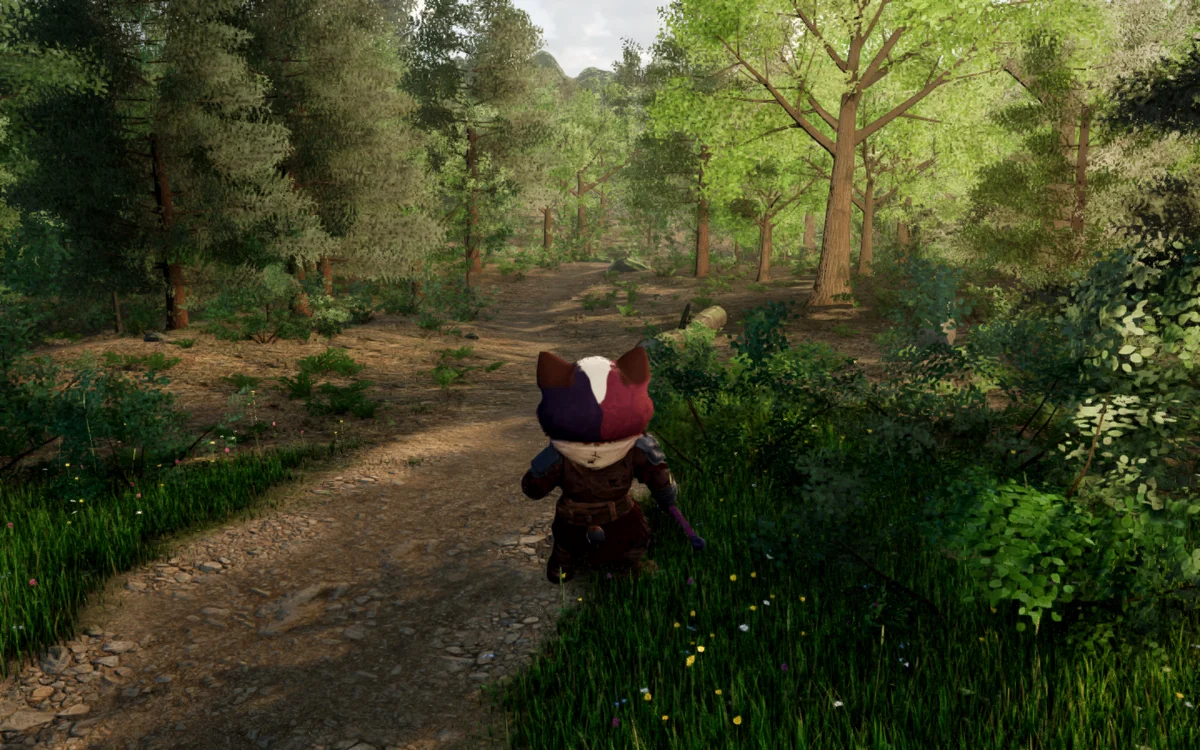
Honest status: idle, the wave and the dance are clean. The attacks and sitting still stretch where her arm meets the skirt. Zero torn edges on every move is the bar for v1.
The forest kit: what made it look real eight review rounds
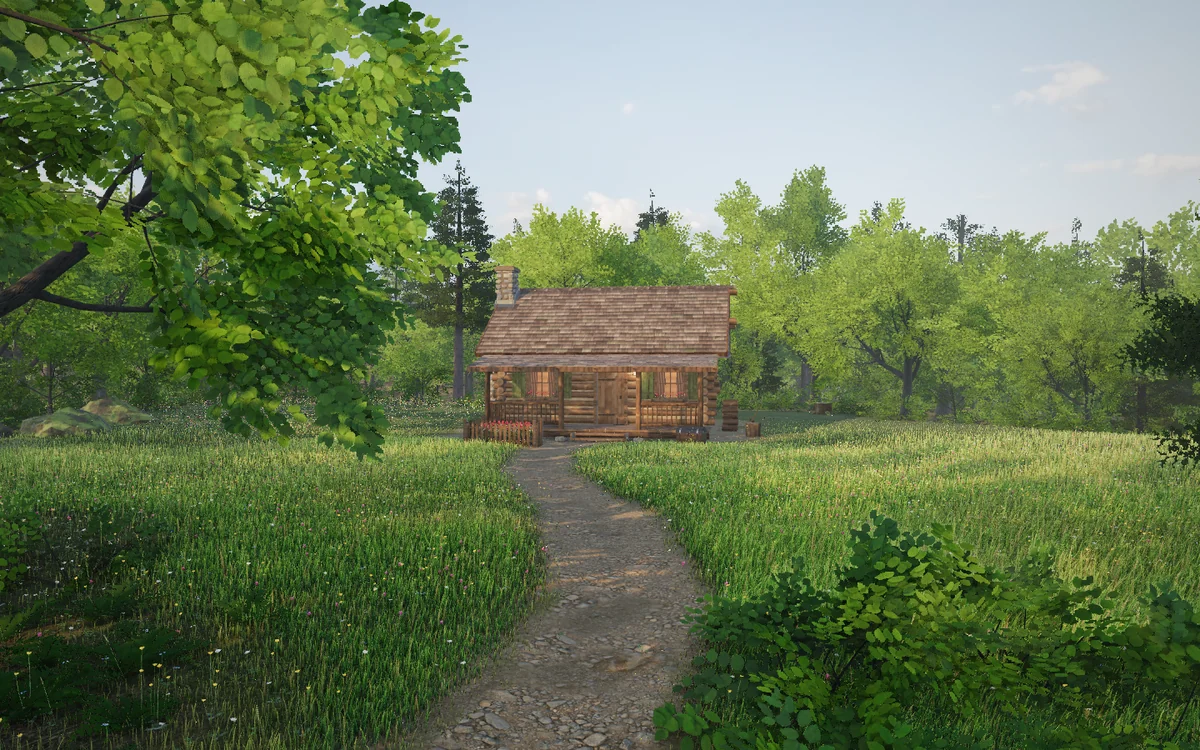
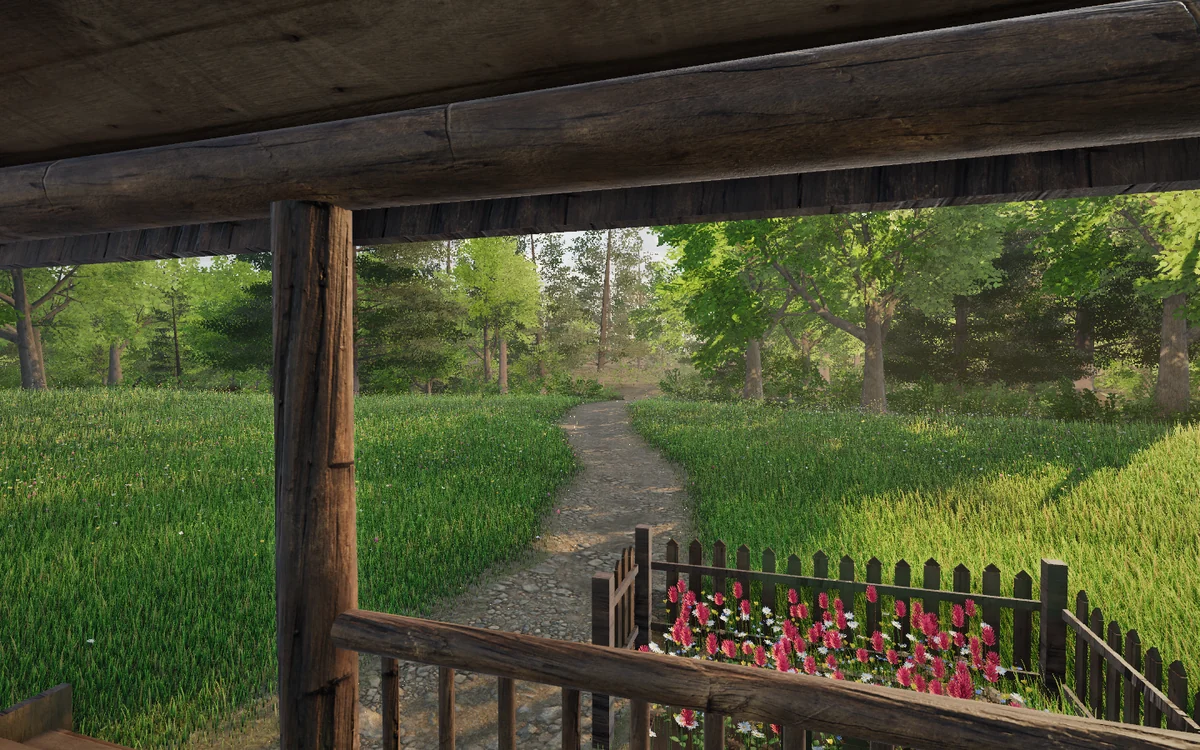
Every tree, blade of grass and log in the clearing is built in code. A few things did most of the work:
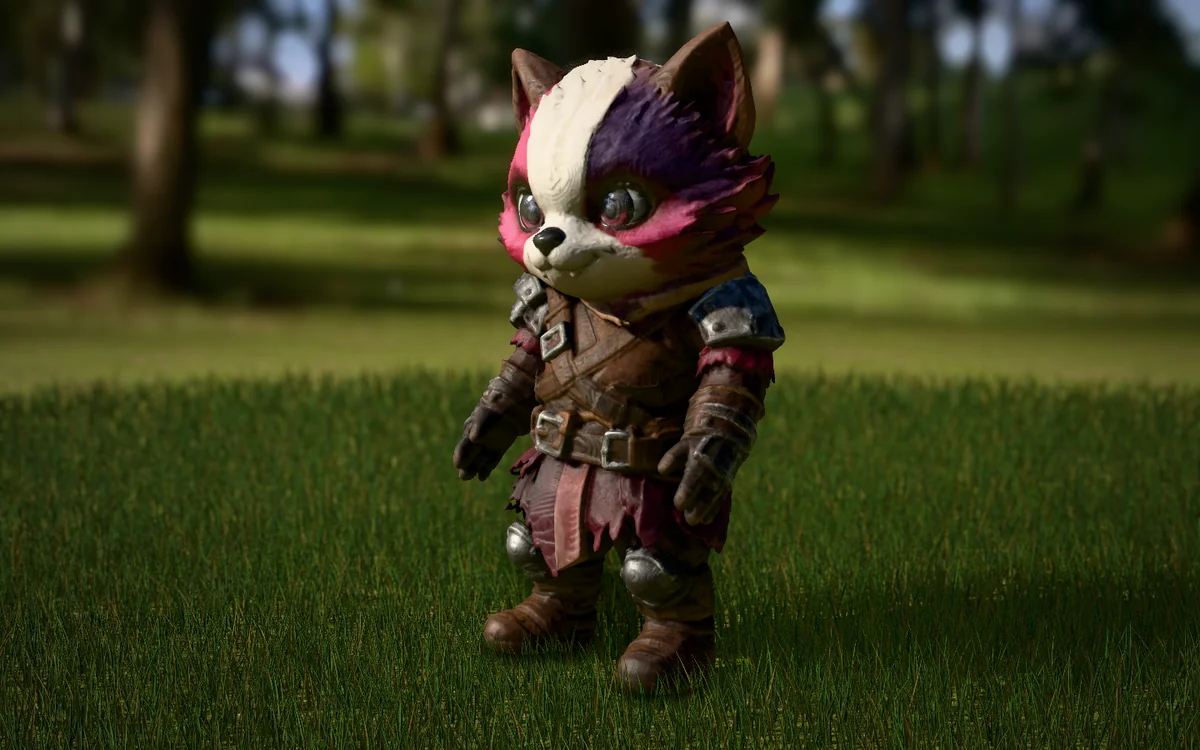
- Light first. A real photographed sky (a CC0 golden-hour HDRI) lights everything, with its sun pulled out into one light that casts the shadows. Nothing looks real under bad light.
- Dark insides in the trees. Leaves near a crown's core get shaded; the tips get sun. This one change did the most for "that's a real tree."
- Scanned textures, never painted. Bark, ground, stone and planks are CC0 photo scans.
- Grass by the blade. Up to 1,800 blades per square metre, each its own height, lean and colour, a few dry. Real modelled daisies, buttercups and clover.
- The cabin from parts. Notched logs, every cedar shake placed with its own tone and moss, real window glass over a little room inside, grime up the footing.
Will it run, and what does it cost? measured, not guessed
What costs frame rate is pixels and overdraw, not triangles. Leaf cards, grass, anti-aliasing, bloom and shadows. Lola plus eight more characters added under 2 ms. So the settings tiers cut foliage and effects, not detail on the characters, and a watchdog steps the quality down if the frame rate sags.
| Device | Setting | Frame rate |
|---|---|---|
| RTX 3070 Ti laptop, 1080p | high | 165 fps (the screen's cap) |
| Radeon 680M built-in graphics, 1080p | medium | 55 fps |
| Phones | low, automatic | about 60 on a recent iPhone (estimate) |
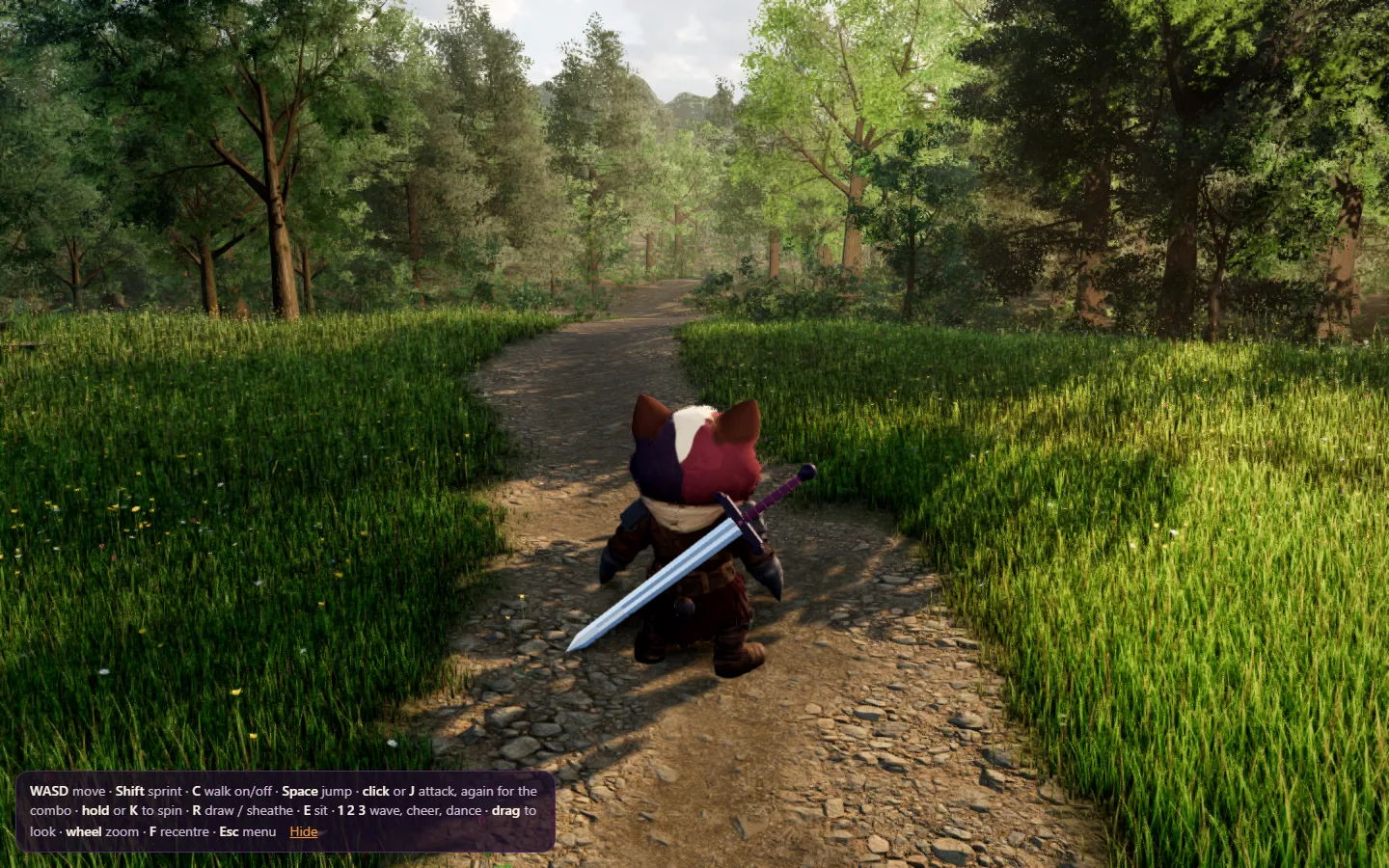
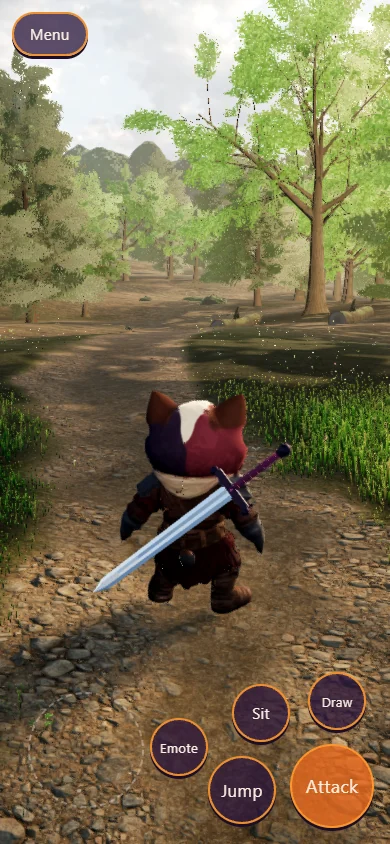
Hosting: $0, at any number of visitors. It's single player, so the whole world is static files on Cloudflare. The whole clearing is a 14 MB download, Lola 1.9 MB of it. Serving the same files from a regular server would cost about $240–1,200 per million visitors.
Multiplayer is the only thing with a meter. A relay on Cloudflare, per month:
| Players at once | How they play | Per month |
|---|---|---|
| 10 | exploring, 4 h a day | $0 (free plan) |
| 100 | exploring, 4 h a day | $6.47 |
| 100 | fighting, around the clock | $43.73 |
| 1,000 | exploring, 4 h a day | $21 |
Making a character on the laptop: 1–2 cents of electricity. The whole cast of 44, three tries each: about $3.
3The pipeline
Five steps, A to E one character or one element at a time
-
A. The redraw. The card art plus a stick-figure skeleton in, an A-pose reference out. Reject any take that changes the design.
- Approve
- One take per character.
- Cost
- $0.04 a picture. All of ours: $1.
-
B. The model. Cut out the background, run Pixal3D locally on three seeds, compare them on one sheet beside the card.
- Approve
- The seed that reads as the card.
- Cost
- About an hour of laptop, a few cents.
-
C. Clean and rig. Make it one solid, two sizes, bake the colours, pick joints by eye, voxel-heat weights, then the tearing check on a walk and a wave.
- Approve
- No tearing you can see up close.
- Cost
- $0. About an hour of judgement.
-
D. Motion and personality. Retarget the CC0 clips, the chibi pass, then a personality profile for how she should move: Lola is heavy (a waddle, a wide stance), brave (chest up) and cozy (she sits when she's bored). V0 has the clips; the profile comes next.
- Approve
- A strip and a looping GIF per move.
- Cost
- $0.
-
E. Into the world. Each piece gets its own test stage in the browser, automatic screenshots on desktop and phone, an art-director agent to 8/10, then my yes. Then it goes into the clearing and the frame rate gets checked again.
- Approve
- The best two to four renders, on one sheet.
- Cost
- $0 to host, forever.
The scripts and the method are saved as agent skills in the repo, so the next friend (Casper, Speeder, Gropulous) goes through the same five steps.
4The exact prompts
What we sent and the settings we ran copy-paste ready
1. The A-pose redraw (step A). Grok Imagine 2.0, 2:3, 2k. Pictures in: the card portrait, then a stick-figure skeleton in OpenPose colours.
Redraw the character from the first image as a full-body 3D-model reference sheet image, standing upright in a neutral A-pose exactly matching the coloured stick-figure skeleton in the second image: arms held straight out and down about 35 degrees away from the body so they do not touch the torso, legs straight and slightly apart, facing the camera directly, symmetrical. Hands open and empty: remove every weapon and held item (no sword, gun, staff, orb or tool). Nothing in front of the body. Keep exactly the character's design, species, face, eyes, fur or skin, markings, colours, clothing, armour and accessories from the first image. Even, soft, flat studio lighting with no cast shadows and no rim light, plain light grey background, the whole figure visible head to toe with a small margin, painted chibi game-art style matching the first image. No text, no skeleton lines, no other characters.2. The generation settings (step B). Pixal3D in a private ComfyUI on the laptop.
input     the take-1 redraw, background cut with birefnet-general, 3% margin
model     Pixal3D, 8-bit weights
shape     upsample 1536, remesh 768
seeds     1, 2, 3   (16-20 min each, 6.1 GB VRAM peak)
then      solidify, hero 60k tris + 2048 maps, game 12k tris + 1024 maps
3. One retargeted clip (step D). Blender, run headless.
move      wave, from the library's "Greeting" (CC0)
bones     pelvis→hips, spine_03→chest, upperarm→upperArm, calf→lowerLeg, foot→foot (fingers dropped)
rest      the source arms turned 30° down, from its T-pose to her A-pose
transfer  world-space rotation changes, parents first
root      scaled by her leg length (0.35)
chibi     feet locked, hands outside a 0.28 m head sphere, arms 15-20° off the body, ×1.2
bake      30 fps, trimmed to 3.2 s, then count the torn edges
4. The art director (step E). A separate agent that didn't build the thing, given the screenshots and the references.
You are the art director for a realistic, storybook-warm 3D world rendered in a browser. Score each image 1-10 against the references and against the bar "looks like a frame from a high-end real-time game or a good offline render; nothing reads as procedural, placeholder or plastic". 8 means Christian would be proud to show it. For each image: the score, the three changes that would raise it most, and anything broken (z-fighting, popping, tiling, black artefacts, wrong scale). Then one overall score. Be specific and unsentimental.5What it cost, and what's next
About $1 in model spend: 25 A-pose redraws at four cents. Everything else ran on my laptop or came free under CC0. Hosting is $0.
Next up: zero tearing on every move, then one more friend at a time, then more houses and plants, filling the world outward from the clearing. Go say hi to Lola.